Quick Takeaways
- Download the APK on the phone you will play on - file transfers are how tampered builds spread.
- Before installing, check the domain, the file size (~48 MB) and the permission list Android shows you - together they catch almost every tampered file.
- The real app never needs SMS, contacts or accessibility-service access - if an install prompt asks for those, cancel it.
- Grant install-from-unknown-sources to your browser only, then revoke it once the install completes.
- Reinstalling never deletes your balance or account - both live on the operator's servers, never on your phone.
- There is no working "mod" or "unlimited coins" APK. Every result and balance is decided server-side, so those files exist only to harvest UPI and OTP data.
Why It Is an APK and Not a Play Store App
Google Play's developer policy restricts real-money gambling apps to a short list of countries and licence types, and India's state-by-state patchwork does not fit that list cleanly. The result is that essentially every real-money gaming platform serving Indian players distributes Android builds directly, as a downloadable APK rather than a Play Store listing. This is normal for the category — fantasy sports apps, card-game apps and casino platforms across the market all work the same way — and is not, by itself, a warning sign.
What it does change is who verifies the file before it lands on your phone. On Play, Google's own scanning pipeline checks the package against Play Protect's malware database and cryptographically confirms the publisher's signing key has not changed between updates. Sideload a direct APK and that verification step moves to you. It is not a complicated job — it takes about thirty seconds once you know what to check, and that thirty seconds is genuinely the whole of the safety story for this method of installing an app.
Play Store vs. direct APK, side by side
| What it covers | Google Play | Direct APK |
|---|---|---|
| Who checks the file is genuine | Google, automatically | You, at download time |
| Malware scanning | Automatic, before listing | Play Protect scans on install if enabled |
| Update delivery | Automatic in background | In-app prompt; you download the new file |
| Source you trust | The Play Store app itself | The URL you download from |
| Uninstall | Standard Play Store flow | Standard Android uninstall, same either way |
Nothing in that table is a reason to avoid the app. It is a reason to treat the download link the way you would treat a bank's login page: use the address you know is correct, not whichever link a search result, forwarded message or comment section happens to hand you.
The one rule that matters more than any other on this page: only ever install a build you downloaded yourself, directly from the operator's official link, on the device you are going to use. Every tampered APK we are aware of in this category reached its victim through a shared file, a mirror site, or a message forwarded on WhatsApp or Telegram — never through the operator's own download page.
What Your Phone Needs
| Requirement | Minimum | Recommended |
|---|---|---|
| Android version | 5.0 Lollipop | 9.0 Pie or later |
| Free storage | 150 MB | 500 MB (cache grows with live tables) |
| RAM | 2 GB | 4 GB for HD live dealer streams |
| Connection | 3G | 4G / Wi-Fi for live casino and fishing |
| Install size | About 48 MB | Plus a first-launch content pull of a few MB |
Live dealer streams are the heaviest thing in the app by a wide margin. If your phone handles YouTube at 720p without stuttering, it will handle the live tables comfortably. Slots and card games run fine on far older, less powerful hardware than that — the game logic itself is lightweight; it is the video feed that asks the most of your processor and connection.
Checking your Android version before you download
Open Settings → About phone → Software information (the exact wording varies slightly by manufacturer — Samsung, Xiaomi and Oppo all phrase this menu a little differently) and look for the Android version number. Anything from 5.0 upward will install the app; anything below that will fail with a parse error before you even get to the permission prompt, which is worth ruling out first if you are installing on an older or budget handset. Nearly every phone sold in India since roughly 2018 ships well above the minimum, so this only matters on genuinely old hardware.
One detail that occasionally trips people up on very cheap or very old devices: the app ships as a single universal package rather than separate 32-bit and 64-bit builds, so architecture compatibility is not something you need to check separately — if your Android version clears the bar, the package will install. The full device specification list, including recommended chipsets for smooth live-table playback, is on the download page.
Verifying You Have the Real File
You do not need specialist tools to reasonably confirm you have the genuine package — you need to check four things, in order, before you tap install. None of them takes more than a glance.
- The address bar. Confirm you are on the operator's actual domain before the download starts, not a redirect, a shortened link, or a page that merely looks similar. If you reached the download through a search ad, a forwarded link or a comment rather than typing the address or following our download page directly, treat that extra hop as a reason to double-check the domain in the address bar rather than trusting the click.
- The file size. The genuine package sits at roughly 48 MB. A file claiming to be the app at 12 MB, or one that is unusually large at 90 MB or more, is not the official build — it has either been stripped down, repackaged with something added, or is simply a different file wearing the same name.
- The Android install prompt itself. Before you confirm the install, Android shows you the permissions the package is requesting. This is the single most useful free check available to you — read it rather than tapping through it. The permission list a legitimate build asks for is short and is covered in full in the next section; anything requesting SMS access, contacts, or accessibility services at this stage is a hard stop.
- The version number after installing. Open the app, go to Settings → About, and confirm it reads v2.3.1 or higher. An older version number means you installed from an outdated mirror rather than the current official build, and outdated builds miss security patches even when they are not maliciously altered.
None of these four checks require you to trust us blindly — each one is something you can verify yourself, on your own device, in under a minute, and together they rule out the overwhelming majority of tampered files in circulation.
What Permissions the App Requests, and Why
Android shows you a permission list before every install, and most people tap through it without reading it — which is exactly the habit that lets a repackaged file do damage. Here is what the genuine Rajspin build actually asks for, and why each one is there.
| Permission | Why the real app needs it |
|---|---|
| Storage | Caches slot assets and live-table video so games load without re-downloading every session |
| Network / Internet | Every game round, deposit and withdrawal is processed server-side and requires a live connection |
| Camera | Used once, during KYC, to capture the liveness selfie your verification requires — not used elsewhere in the app |
| Notifications | Deposit confirmations, withdrawal status updates and contest results |
| Phone state (read-only) | Basic device fingerprinting for fraud prevention, standard across this category |
That is the full list. Nothing on it needs to read your SMS inbox, your contacts, your call log, or run an accessibility service in the background. Those four permissions are exactly the ones a credential-harvesting app needs and a gaming app does not: SMS access reads the one-time password your bank texts you, contacts and call logs are harvested for resale or targeted scams, and an accessibility-service grant hands an app the ability to read anything on your screen — including your UPI PIN as you type it.
If an install prompt for this app asks for SMS, contacts, or accessibility-service access, cancel the install. That permission list, more than the file name or the icon, is the most reliable single signal that the package is not the genuine client — read it every time, not just the first time.
After installing, you can review exactly what was granted at any point via Settings → Apps → [app name] → Permissions, and revoke anything you are unsure about. The app functions normally with storage, network and notification access alone; camera access is only invoked during the KYC step itself.
The Install, Step by Step
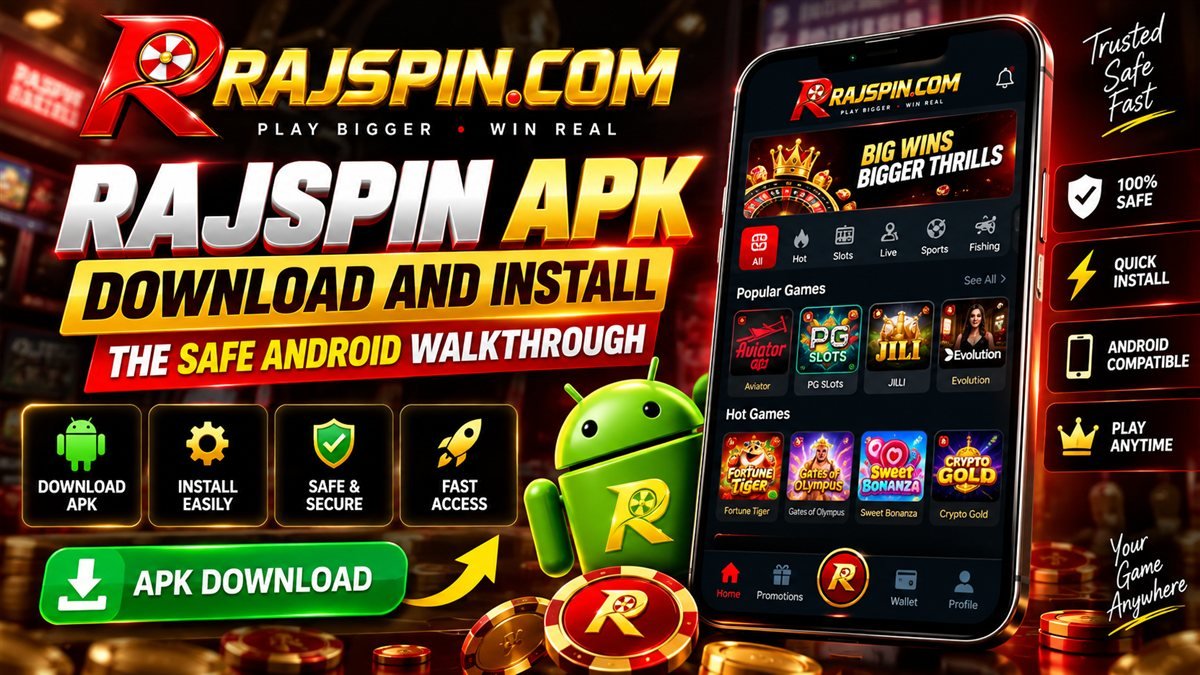
- Open the official download page on your phone. Go to the download page in Chrome on the handset itself. Do not download on a PC and transfer the file over — that transfer step, however it happens, is exactly where a swapped file gets the chance to enter the chain.
- Start the download and let it finish completely. Chrome will warn that this file type can harm your device — that warning appears for every APK, signed or not, and is not specific to this file. Confirm the download and let it run to completion on a stable connection.
- Check the file size. Open Files → Downloads. The package should be in the region of 48 MB, matching the check described above. Anything dramatically smaller is an interrupted download rather than a fast one.
- Tap to install and read the permission prompt. Android will offer to open Settings so you can allow installs from Chrome. Before you confirm the install itself, glance at the permissions being requested against the table in the section above.
- Grant the source permission, then install. Enable "install from this source" for Chrome specifically, go back, and complete the install.
- Revoke the permission immediately afterwards. Settings → Apps → Special app access → Install unknown apps → Chrome → off. This is the step almost everyone skips, and it is the one that actually protects you from the next file you download, malicious or otherwise, rather than this one.
- Launch once on Wi-Fi. First run pulls a few megabytes of game assets. Let it complete before you register, so the lobby loads cleanly the first time you open it.
- Verify the version. Settings → About should show v2.3.1 or higher, per the verification check above.
Common Install Errors and How to Fix Them
"App not installed"
Usually a signature clash with a previous build from a different source — Android refuses to install an update that is signed differently from whatever is already on the device, even if the old copy is barely used. Uninstall any existing copy completely, restart the phone to clear any lingering install cache, and install the fresh download. Your account is unaffected either way; nothing of value is stored locally on the handset.
"Parse error — there was a problem parsing the package"
The file is incomplete or corrupted, or your Android version is below 5.0. Delete the APK, clear Chrome's download cache (Chrome menu → Settings → Privacy → Clear browsing data → Cached files), and download again over a stable connection rather than resuming the previous attempt.
Download stalls at 99%
Almost always a carrier-level interruption on the last packet rather than anything wrong with the file itself. Switch from mobile data to Wi-Fi (or the reverse), then start the download again from scratch rather than trying to resume it — a resumed download that stalled once tends to stall again in the same spot.
Chrome deletes the file right after downloading it
This is Play Protect's automatic scan removing a file it judged unsafe, and it is worth taking seriously rather than simply re-downloading and ignoring it — check that you are on the correct official domain before trying again. If the domain is correct and the removal persists, download once more and, when prompted, choose "Keep anyway" rather than letting Chrome auto-delete it, then proceed to the manual checks in the verification section above before installing.
Install succeeds but the app closes immediately on launch
Usually insufficient free storage for the first-run asset pull, or an aggressive battery optimiser killing the process before it finishes loading. Free up at least 500 MB, then exclude the app from battery optimisation in Settings → Battery → Battery optimisation, and relaunch.
The app opens to a blank or white screen
Almost always a connectivity issue during the first-launch asset download rather than a broken install. Force-close the app, switch to a stronger Wi-Fi connection, and reopen it — the lobby needs to finish downloading its initial assets before it can render anything. If the screen stays blank on a strong connection after a minute, uninstall and reinstall the current APK rather than troubleshooting further; it will not affect your account, which lives entirely on the operator's servers.
An update gets stuck downloading inside the app
In-app updates use the same connection the app is already running on, so a stall here usually clears with the same fix as a stalled initial download: switch networks and retry. If it stalls repeatedly, close the app, download the latest APK fresh from the download page instead of using the in-app updater, and install it over the existing copy — your progress carries over because none of it is stored on the device.
Play Protect blocks the install outright
Play Protect flags any package it has not seen distributed through Play, which by definition includes every legitimate real-money gaming build in this category, not just this one. You can proceed via "Install anyway", but understand what you are doing when you override it: that override is only reasonable because you downloaded the file yourself from the official source and ran the checks above. It is not a blanket licence to ignore Play Protect warnings on other, unrelated files.
If a file arrives as a ZIP, an OBB pair, or claims to be the app at under 10 MB, do not install it. Those shapes belong to repackaged builds and installer droppers, not to the official single-APK client. The same caution applies to any build advertising unlimited chips, guaranteed predictions or a cracked wallet — every result and every balance is decided on the operator's servers, so there is nothing on your device left for a "mod" to unlock.
Why "Mod" and "Unlimited Coins" Files Are Always Malware
Every gaming category with real money attached eventually attracts channels advertising a modified client: unlimited coins, guaranteed wins, a "cracked" wallet balance. It is worth understanding exactly why these cannot be real, because the explanation is also the reason they are dangerous rather than merely useless.
Your balance, every spin outcome, every card dealt and every withdrawal approval is calculated and stored on the operator's servers, not on your phone. The app installed on your handset is a display layer — it shows you what the server tells it and sends your taps back to the server as requests. There is no local file controlling "how many coins you have" for a modified client to edit, because that number does not exist on your device in the first place. A mod that claimed to unlock unlimited balance would have nothing to act on.
So what does a file advertised that way actually do? In every case we have examined across this category, the answer is some combination of the following, and it is why the permission check earlier in this guide matters so much:
- Requesting SMS read access so it can silently forward the one-time passwords your bank sends you to a third party, enabling account takeover.
- Requesting an accessibility-service grant, which on Android hands an app the ability to read anything displayed on screen and simulate taps — enough to capture a UPI PIN as it is typed or to approve a payment on your behalf without your knowledge.
- Watching the clipboard for anything resembling a UPI ID or crypto wallet address and silently swapping it for the attacker's own before you paste it into a payment field.
- Simply not working as advertised, while displaying convincing but entirely fake balance screens designed to be screenshotted and shared to recruit the next victim into the same channel.
None of this requires the file to be sophisticated — it requires only that someone install it and grant the permissions it asks for. That is why the checks in this guide are not extra caution for the unusually careful reader; they are the entire difference between a normal install and a compromised account.
Updates, Storage and Uninstalling Cleanly
The app checks for a new version on each launch and prompts when one is ready. Updates in this category routinely carry payment-gateway fixes and new provider integrations rather than purely cosmetic changes, so declining them tends to break deposits or a specific game before it breaks anything else. Install them when offered, and if you ever skip one, check the version number in Settings → About against the latest figure on the download page so you know how far behind you are.
Cache grows over time, mostly from live dealer video and slot assets accumulating in local storage. If the app starts feeling heavy or slow to open, Settings → Storage → Clear cache is safe and does not touch your login, balance or bonus progress — it only removes files the app will simply redownload as needed. Clearing data (a different, more aggressive option in the same menu) logs you out but is equally non-destructive to your account, since none of that account state actually lives on the phone.
Uninstalling removes the client and nothing else. Your balance, KYC status, bonus progress and contest history stay on the operator's servers, and reinstalling with the same login credentials restores everything exactly as you left it. This is worth knowing if you decide to take a break — deleting the app is a genuinely low-friction way to step back without losing anything, and pairing it with the in-app cool-off tool makes the break easier to hold to.
For the full picture of what happens after the install — registration, KYC, the wallet, the six game categories and the welcome package — see our complete Rajspin game app guide.
Frequently Asked Questions
Yes, provided you download it yourself from the operator's official page on the device you will play on, check the file size and the Android install prompt's permission list, and revoke the install-from-unknown-sources permission afterwards. The danger in this category has never been the official build; it is mirrors, forwarded files and "mod" packages that harvest UPI credentials and SMS OTPs.
Storage, network access, notifications, camera (used only once, during KYC, for the liveness selfie) and basic read-only phone state for fraud prevention. That is the complete list. It never needs SMS access, contacts, call logs or an accessibility-service grant - if an install prompt requests any of those, the file is not the genuine client and you should cancel the install.
Play Protect flags any package that has not been distributed through Google Play, which covers every real-money gaming app serving India. The warning reflects the distribution route, not an analysis of the file. Overriding it is only reasonable because you sourced the download yourself from the official link and checked the file size and permissions first.
No. Your account, wallet balance, KYC status and bonus progress are stored on the operator's servers, not on your handset. Uninstalling and reinstalling, or clearing app data, only affects the local client. Logging back in restores everything exactly as it was.
No, and there cannot be. Every game result, balance and bonus is calculated server-side, so there is nothing on the device a modified client could change. Files advertised that way exist to install malware - typically SMS-reading credential harvesters or accessibility-service abuse targeting UPI PINs and OTPs. Do not install them under any circumstances.
Open Settings inside the app and check the About screen. It should read v2.3.1 or higher. If it shows an older number, you installed from an outdated mirror rather than the official link - reinstall from the download page to get the current build and its security patches.